AutomatedPentestManagement,
PoweredbyAI.
One purpose-built platform for reporting, QA, client delivery and retesting. Less admin, more time testing, and a client experience that matches the quality of the work.
7 day free trial · No card required
Demonstration portals. The four firms are invented; every screen is the real software.
The Way Most Firms Still Deliver.
Word documents passed around by email, a review that depends on who is free, and a client who only ever sees a PDF. Here is what each of those becomes once the engagement runs through one system.
One Engagement, Start to Finish, With Your Name on It.
This is the software running at four firms that set it up differently. Their domain, their logo, their colours, their severity scale, their typeface. Follow one engagement through: the page a client signs in to, the desk your testers work at, and what that client reads when you release it.
Demonstration portals. The four firms are invented. Every screen is the real software.
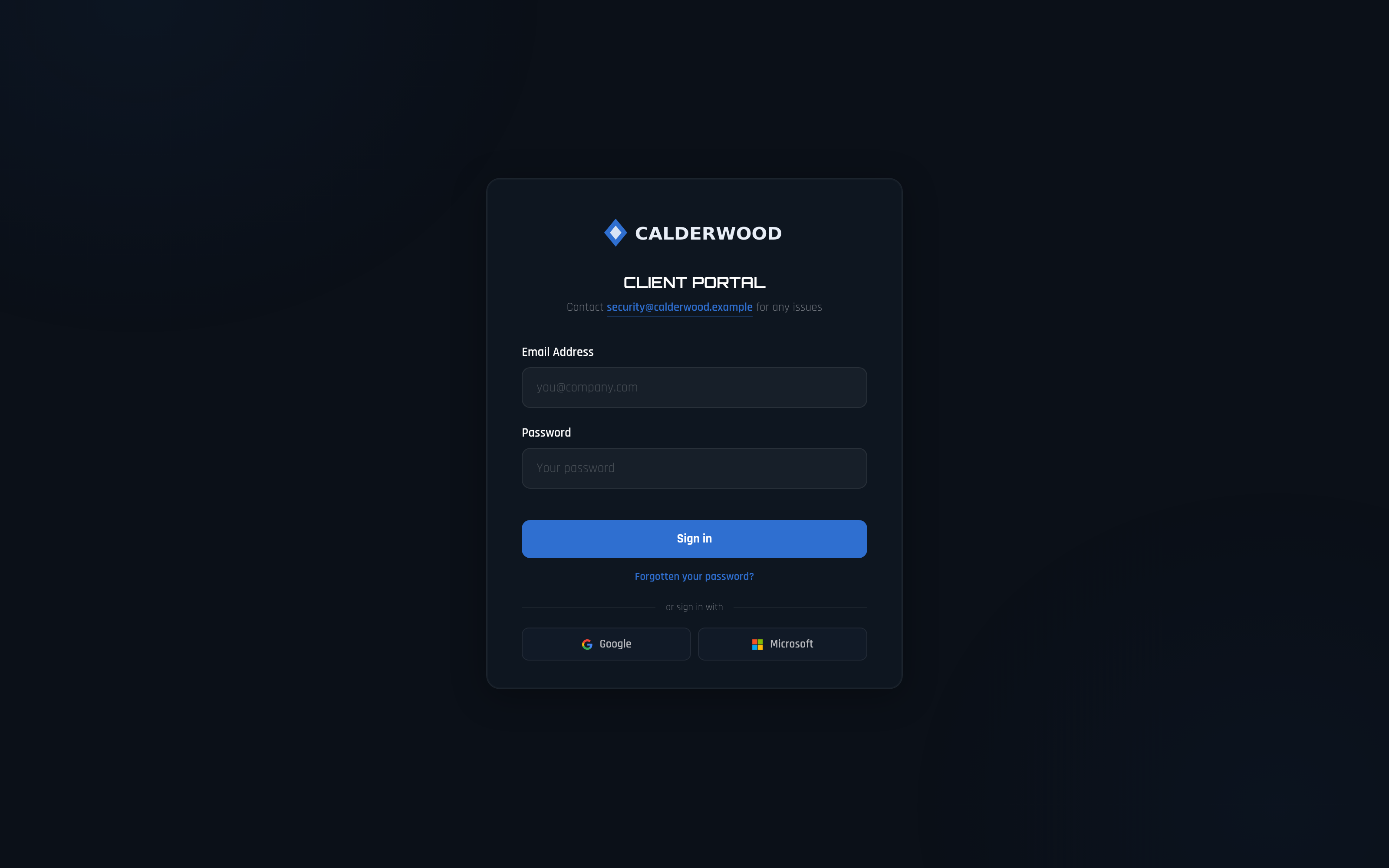
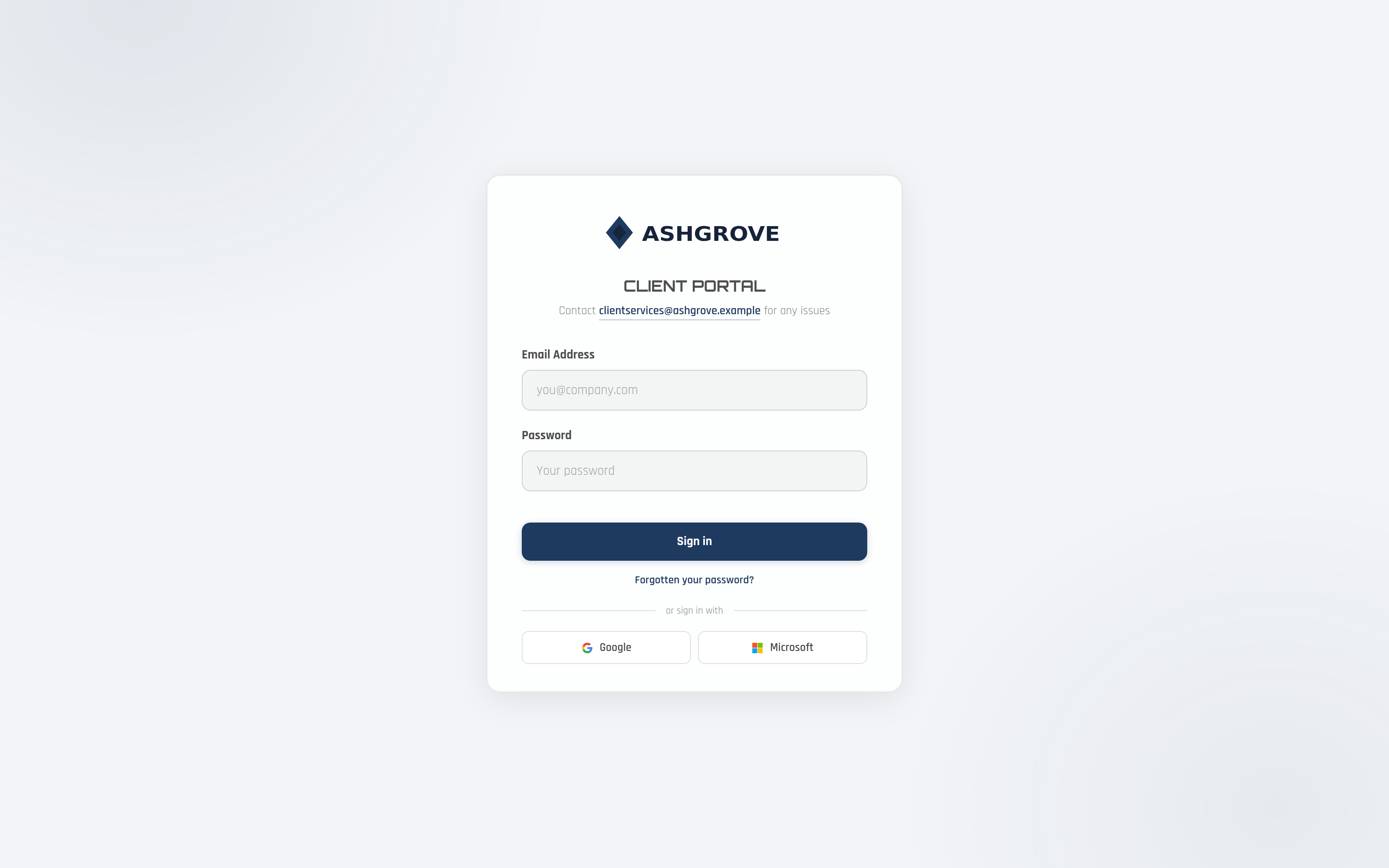
Your Client Signs In to You
On your domain, with your logo, your colours and your wording. There is no Pental branding on the page they sign in to, and none on any page behind it.
- Your hostname, with TLS issued automatically
- Your heading and the line under it, set in Settings
- Email and password, then a mandatory second factor
Calderwood SecurityWhat their client signs in to
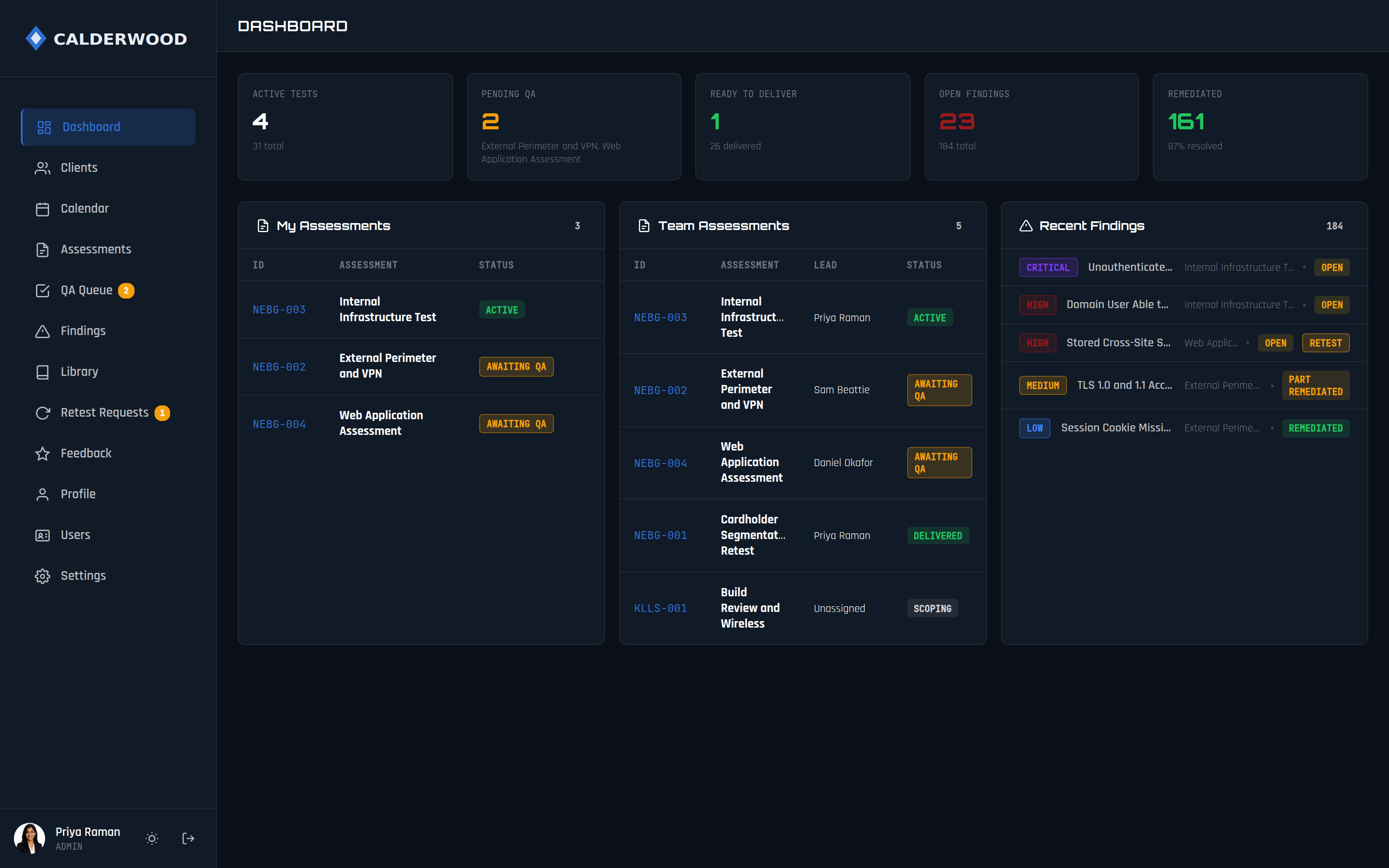
Your Team Opens the Work, Not a Folder
Every engagement in flight, who leads it, what is waiting on QA and what is ready to go out. The number your team argues about is on the screen rather than in somebody’s head.
- Assessments by state, with the lead named
- A QA queue with a count, not a convention
- The latest findings across every engagement
Calderwood SecurityTheir team
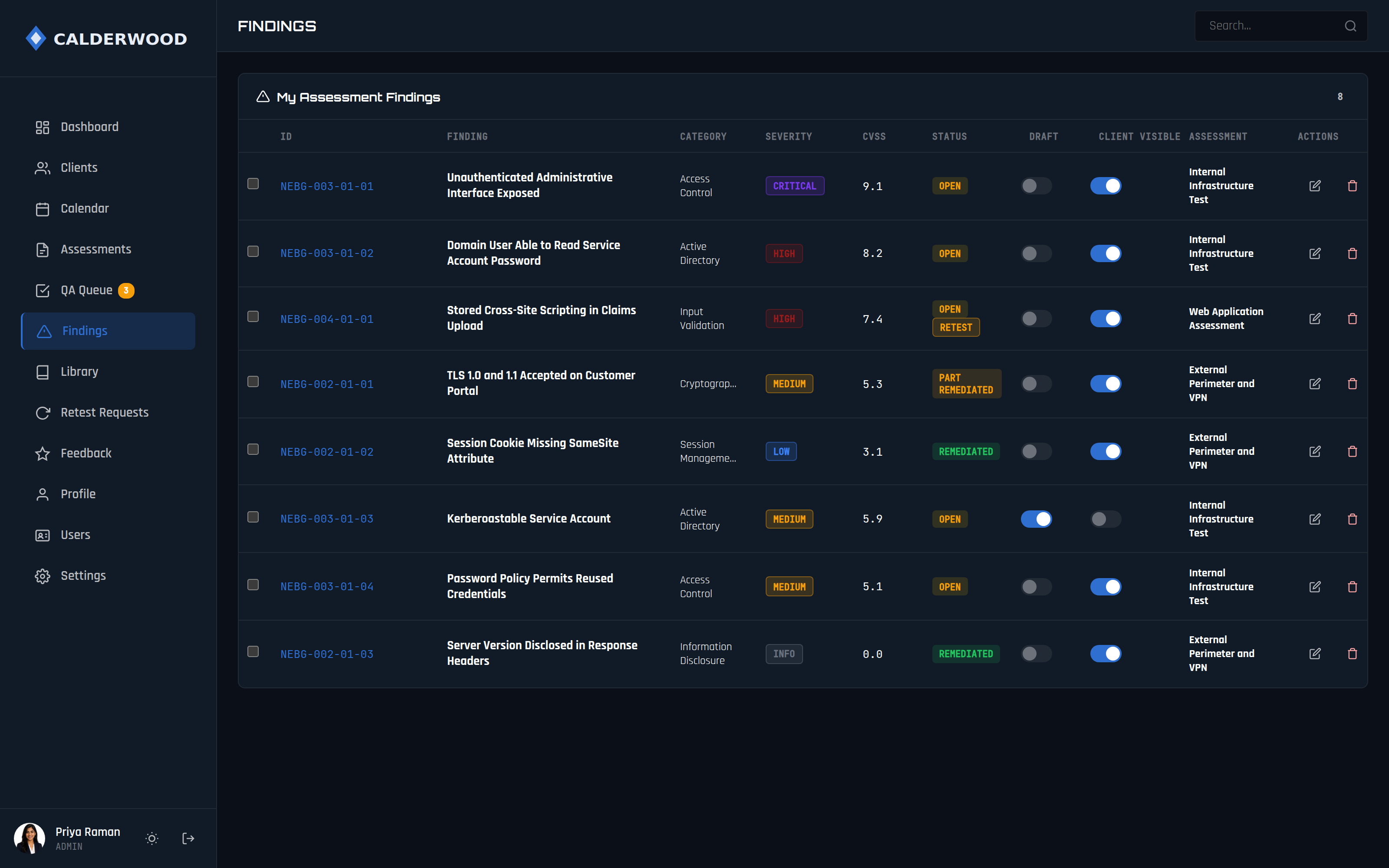
Findings Are Written Once and Released on Purpose
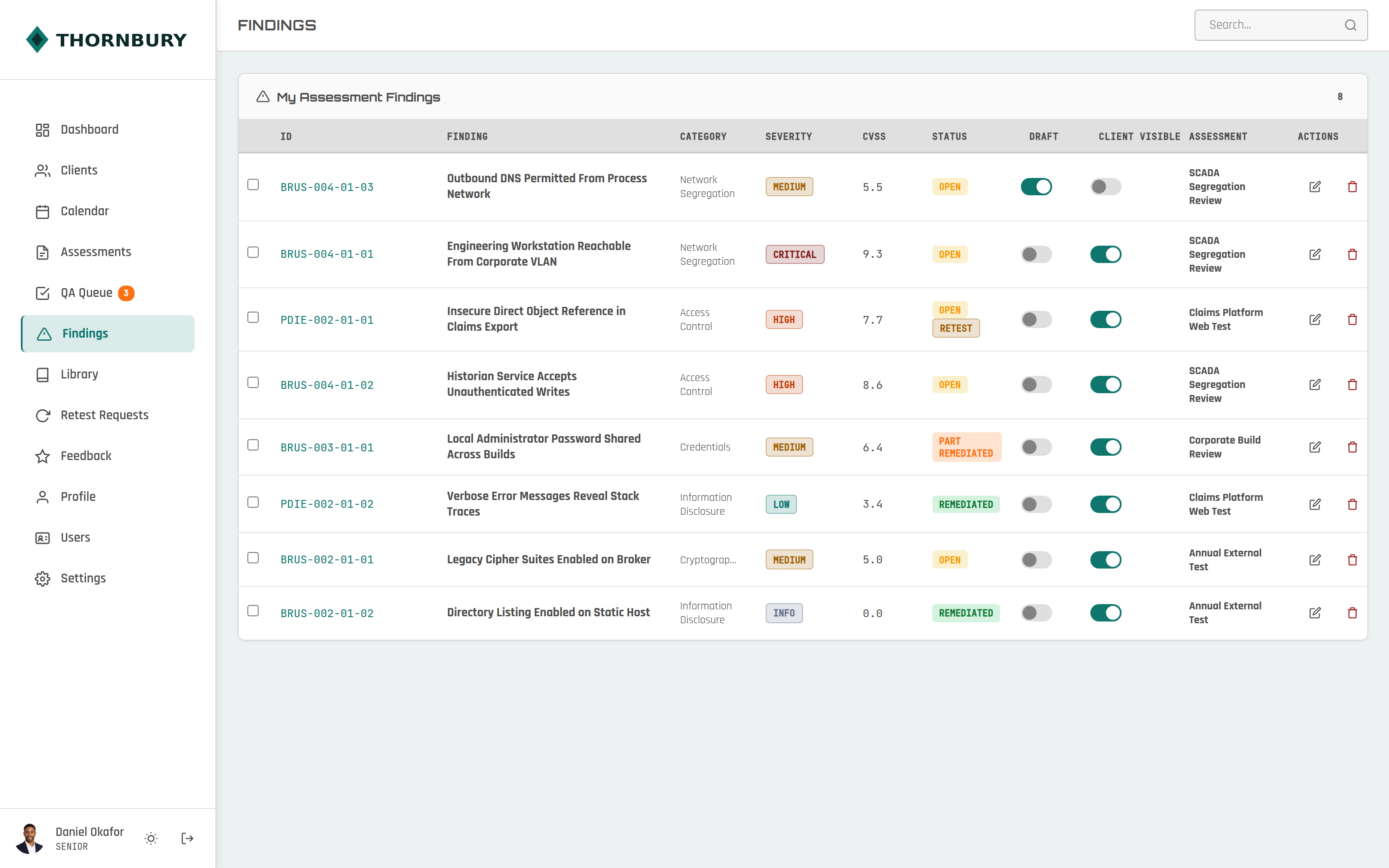
Severity, CVSS, category and status on one row. Two switches decide the rest: whether a finding is still a draft, and whether the client can see it yet.
- Draft until a required field is filled in
- Client visible is a decision, not an accident
- Severity colours are yours, carried through to the report
Calderwood SecurityTheir team
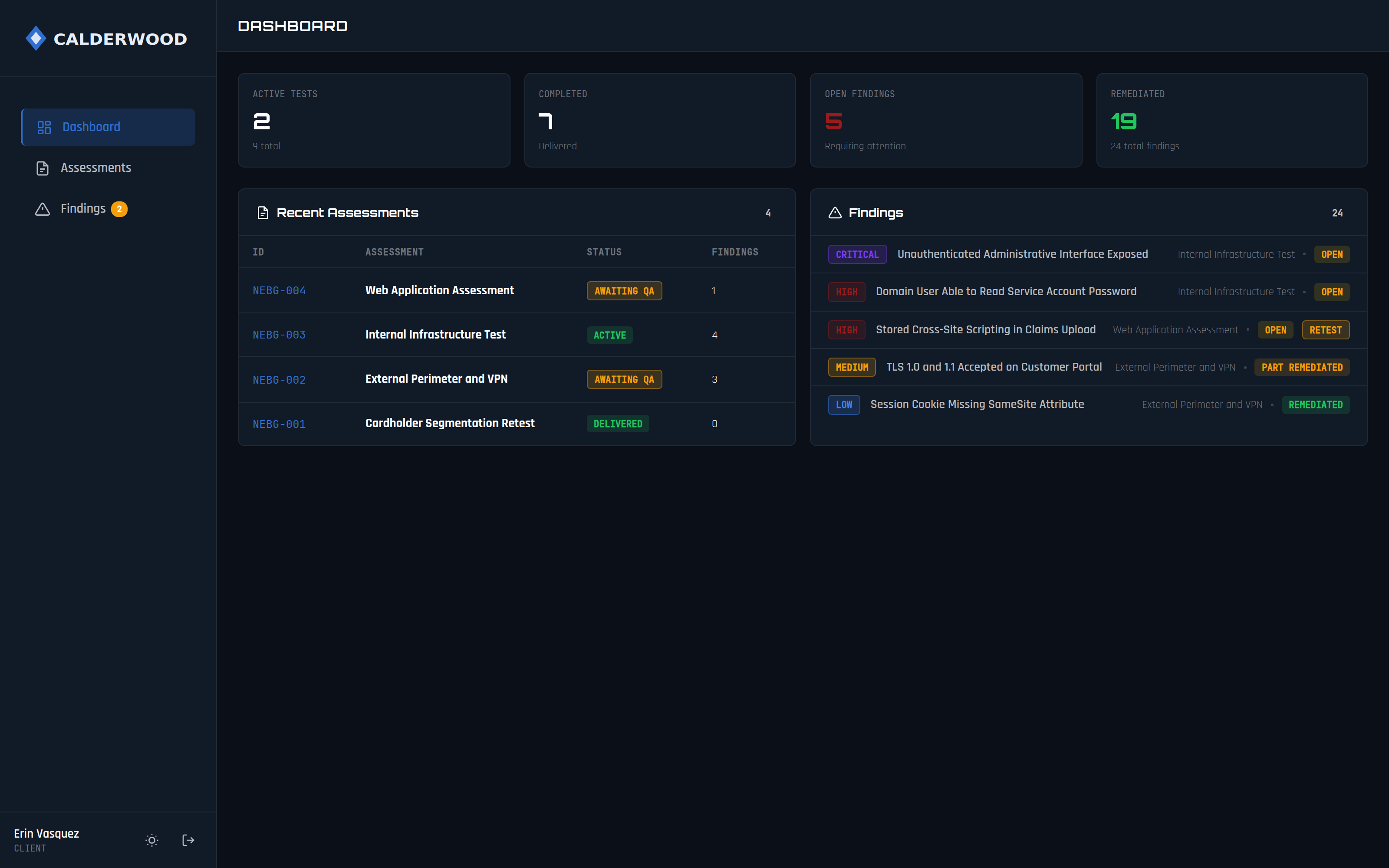
Your Client Reads It in Your Portal
Standing access rather than a PDF in an email. They see their own assessments, their open findings and what they have already fixed, and they can come back next quarter.
- Only what you released, and only their own
- Remediation progress they can show their board
- A retest requested with one button
Calderwood SecurityTheir client, signed in
And the Finding Itself, in Your Words
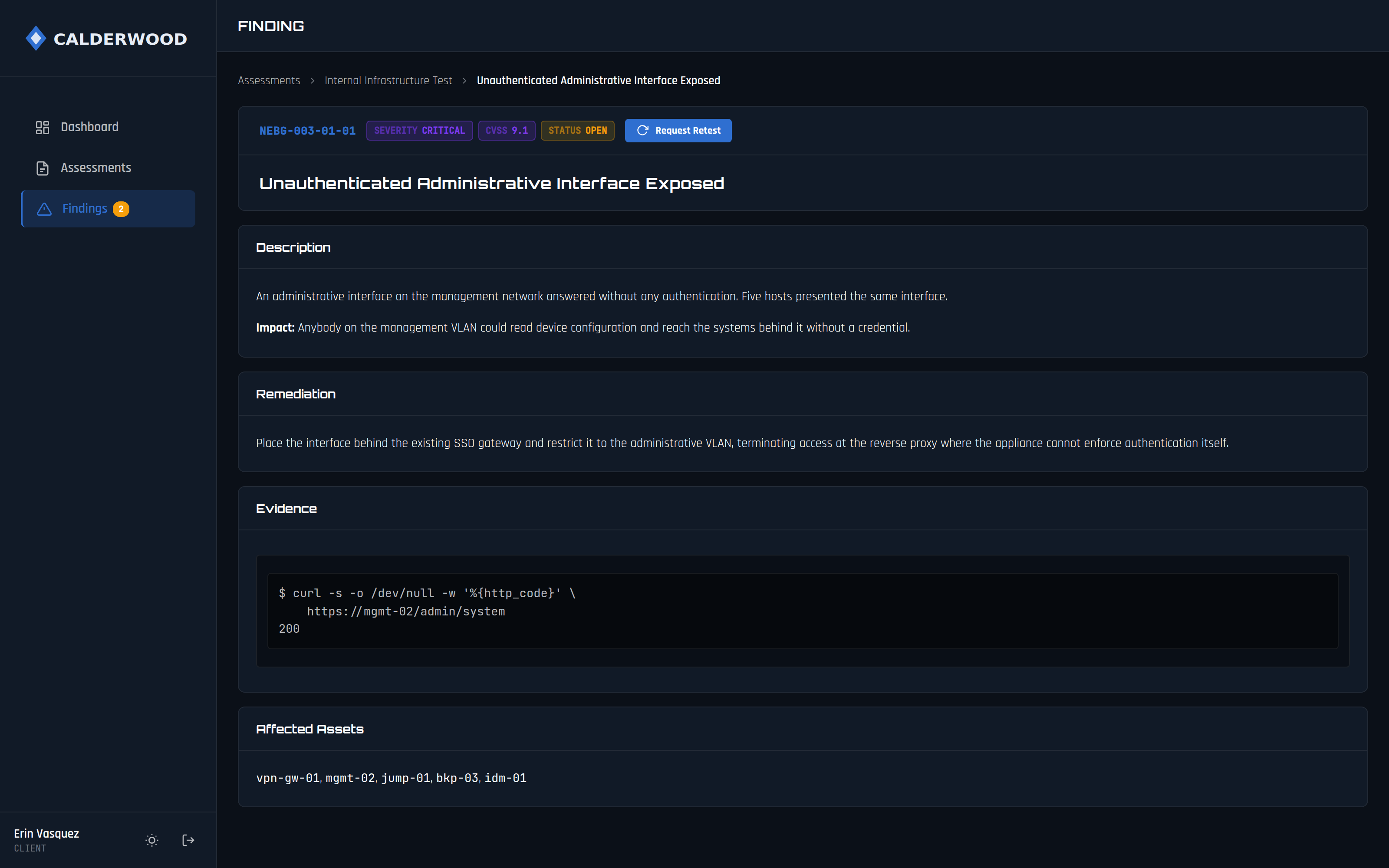
What was found, what it means, the evidence behind it and what to change. The same record your report renders from, so the two cannot disagree.
- Description, impact, remediation and evidence
- Every affected asset, not the first three and a count
- Request a retest from the finding
Calderwood SecurityTheir client, reading a finding
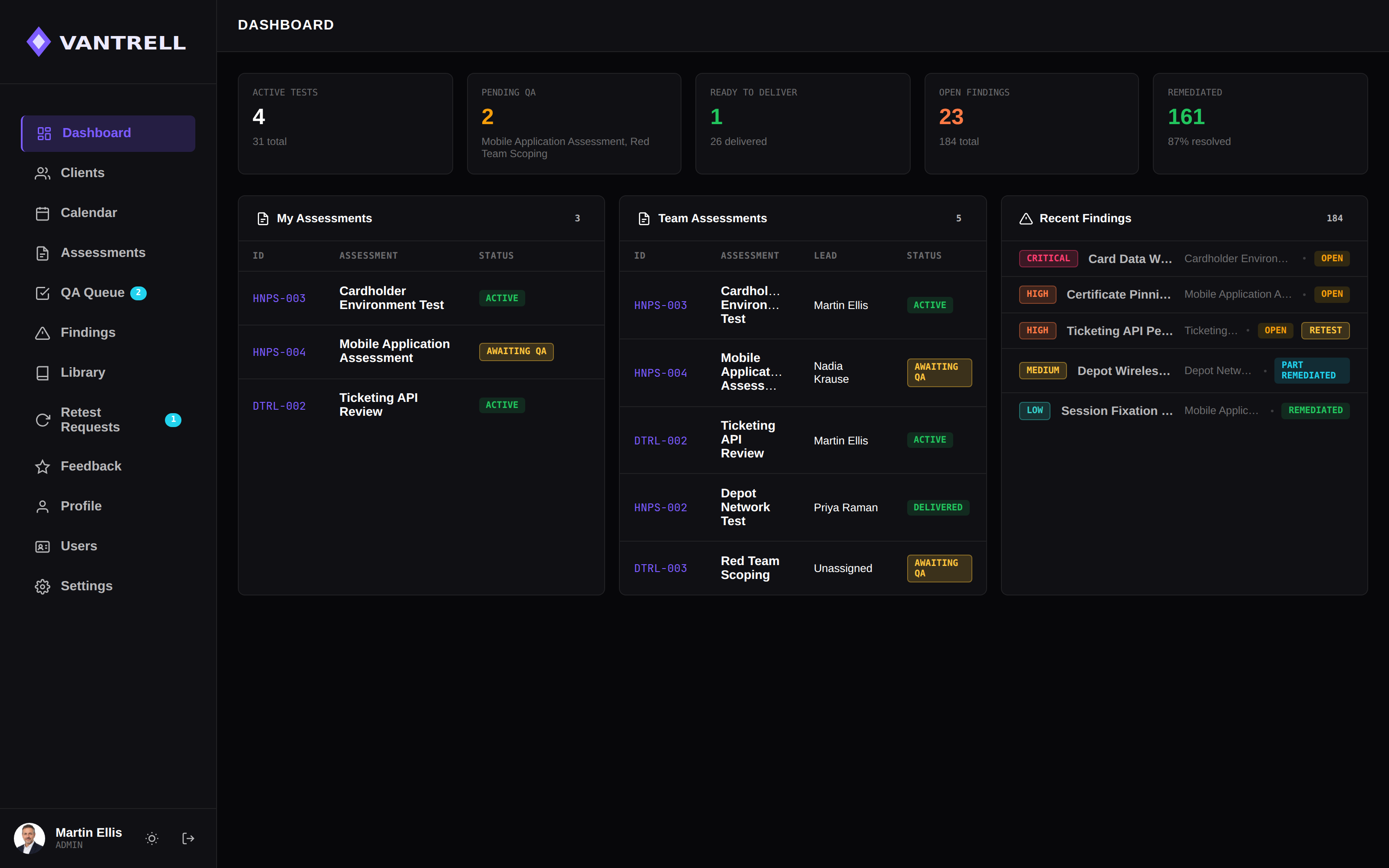
A Different Firm. The Same Software.
Nothing above is a theme we chose for them. This firm changed the accent, both theme colours, the whole severity scale and the typeface, from the same settings screen.
- Your palette for light and dark, set separately
- Critical through informational in your own colours
- Your fonts for headings, body and code
VantrellTheir team
And a Third, in the Other Direction
A light theme, a teal accent and a severity scale repainted for a firm whose clients are utilities and insurers. Same table, same code, same release two minutes ago.
- Every feature on every plan, including all of this
- No tier gates the branding
- Set up in your first week, changed whenever you like
Thornbury CyberTheir team
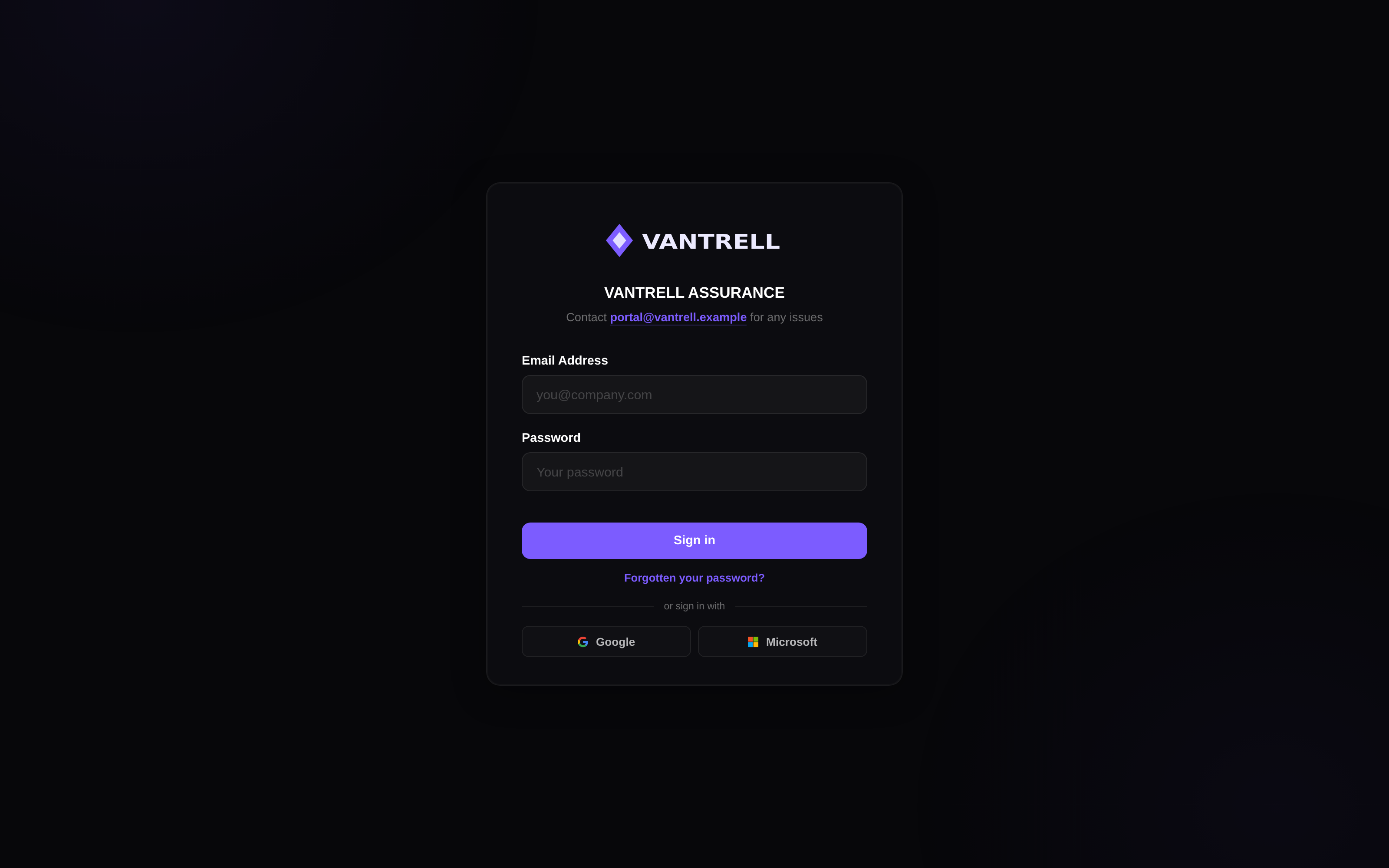
The Same Page, Three Firms, No Family Resemblance.
The sign-in page is the first thing a client ever sees, and almost all of it is yours to set: logo, heading, the line underneath, the colours and the button. Here it is at three firms that have never met.
Setup Guide
The whole setup recorded end to end, every step in the order you will do them.
- 0:00Registering, signing in, and the free trialSigning up on pental.io. The address you use here becomes the first admin of the portal. MFA is required: a security key, or an authenticator app, and a key still needs an app as a backup. No card for the trial.
- 0:51Your name and your firm’s nameThe two fields the portal and its documents carry from here on.
- 0:57Custom domainThe first half of white-labelling: the address your portal runs on, which has to be a domain you own. A CNAME for a subdomain, an A record for a root domain. Verification polls by itself and can take up to fifteen minutes.
- 1:45Bring your own databaseCreating a Supabase project, running the setup SQL with RLS, registering the access token hook, then pasting the project ID and publishable key. The free tier is enough to start; the schema sets RLS on every table itself.
- 4:07Your own email serverThe second half of white-labelling. Connecting a Microsoft 365 mailbox (sign in with an account that has Send As rights if it is a shared mailbox), or SMTP with a password. Then the test email.
- 5:36Branding, and finishing setupLogo at roughly 4:1, favicon at 1:1, light and dark themes with a logo each if you want, and the support address your clients see on the login page.
- 6:25Signing in as the first adminThe same account that set the portal up. If the first email did not arrive, Forgot password sets one instead. Then the same MFA steps as before.
- 7:34Updating and maintaining the databaseWhen a release needs a schema change, a banner says so: copy the SQL, open the editor, run it. Your clients never see it and the portal keeps working; only the new features wait.
An email, a one-time code, and a second factor. The address you use becomes the first admin of your portal. No card.
0:57Your own domainThe address your portal runs on. A CNAME for a subdomain, an A record for a root domain, and TLS issued for you once it verifies.
1:45Your own databaseA Postgres project in your own account, in your region. Run the script we give you, register one hook, hand back an ID and a key.
4:07Your own mail serverConnect a Microsoft 365 or Google mailbox, or use SMTP. Every email the portal sends then comes from your address.
5:36Branding and sign-inLogo and colours for both themes, the support address your clients see, and the first sign-in to the portal that is now yours.
7:34Keeping it updatedWhen a release needs a schema change, a banner says so: copy the SQL, run it, done. Your clients never see it.
Five Things We Built It Around.
Pental is written by people who deliver penetration tests for a living. These are the positions the product takes, and every screen in it follows from one of them.
Pen testers should spend their time testing, not formatting reports and repeating admin.
A structured delivery and QA process should not be reserved for large consultancies with expensive platforms.
Your client delivery experience should reflect the quality of the penetration testing behind it.
You should not have to choose between an expensive third-party platform and building your own.
The tools running a pentesting business should be built around how pentesting actually works.
And one line we cannot cross: your clients' data is never ours to hold.
See the boundaryWhere your data actually lives.
A delivery platform holds the most sensitive thing a firm has: its clients' vulnerabilities. So Pental holds two things, your subscription and your domain routing, and everything else lives in a Postgres project you create, in your own account, in a region you pick.
- Your subscriptionThe account email it belongs to, the plan, and the billing record behind it.
- Domain routingYour domain and its DNS status, so requests reach your portal.
Every client, engagement, finding, file and report you will ever create.
If Pental were breached, your clients' data would not be in it.
See exactly what an attacker would getEvery Part of It, in Full.
Ten areas, each answering one question properly instead of all of them briefly. Start with the platform, or wherever your scepticism is.
Same Product on Every Plan.
From a solo tester to a fifty-seat consultancy, only the limits change. Move up or down any time, pro-rated, from your dashboard.
The whole platform for a person working alone. Your own database, your own brand, your own reports.
The whole platform for a firm of two or three, on your own database.
Room for the testers, a reviewer and whoever runs the sales side.
Twenty-five seats and five hundred client records, with every engagement, review and retest on one system.
Fifty seats and a thousand client records. The same platform the Solo plan runs on, with more room.
The same platform with the limits removed, and we set it up with you: branding, domain, email, templates and methodology.
Prices include tax. Billed monthly. Cancel any time. Your database is yours either way.
The Things People Actually Ask.
Mostly about where the data goes. Fair enough.
A delivery platform for penetration testing firms: one purpose-built system for reporting, QA, client delivery and retesting, with phased engagements, a findings library and a client portal around it.
It runs on a database you own, the AI runs on your key or entirely locally, and everything your clients see is your brand. Every feature is on every plan, from a solo tester to a fifty-seat consultancy.
Walk through the platformOn your first engagement. Setting up your portal is a stepped wizard in your Pental account, and the generated PDF is there from the start if you want an engagement running before anything else is in place.
Your own Word report becomes the template: set the variables on it yourself, or let the Report Builder place them for you. Cover page, styles, headers and appendices stay as you built them, and rendering is deterministic, so the same engagement produces the same document every time. That matters when a client puts this quarter's report next to last quarter's.
Watch the setup guideYour data lives in a Postgres project you create, in your own account, in whichever region you pick. Pental holds your account email, subscription state, Stripe customer record and domain status. That is the list.
You do not need to know Postgres to run it. Setup is a guided step: create the project, paste the script we give you into your own SQL editor and run it, set one dropdown in your project settings, then hand back an ID and a key. The database being genuinely yours does mean that if you do know Postgres, you can connect to it, query it and back it up on your own schedule.
How your own database worksNo, and it is the database that refuses rather than the interface. Every table is protected by row-level security evaluated by Postgres on every query, and every data-access policy also requires a recent second-factor check, so a stale session returns nothing. Resetting a second factor needs an administrator signed in to your own portal, so control of access stays inside your firm.
A compromise of Pental reaches the account email, the subscription record and the domain routing. Your clients, assessments, findings, evidence and reports sit in your own hosting account, and there is no credential on our side that unlocks them.
Another firm using Pental cannot see them either, and that separation is physical rather than a permissions setting: each project signs its own tokens, so a session from one firm does not fail an authorisation check against another, it fails to validate at all.
What a breach of Pental would reachYou decide where it runs. Bring a key for OpenAI, Anthropic or Groq and requests go to your account under your terms. Or run Ollama locally, or any compatible endpoint you host, and nothing leaves your environment.
The key is encrypted on write inside your own database, with a key generated in that same database, and the plaintext column is nulled.
Every generated field has its own editable prompt, with a reset to the default. Configure no provider and the AI is simply absent.
How the AI runs on your keyCompletely, on every plan. Your domain with TLS issued automatically, your favicon, your login page, your colours for both themes, your fonts, and email from your address through your own relay.
No Pental branding anywhere a client can look, and none where your team looks either.
What white-labelling coversWith email and password by default, then a mandatory second factor: a passkey or authenticator app enrolled before the portal opens. Passwords are hashed and stored only in your own database. Google and Microsoft SSO are available, and the sign-in page can be switched to emailed one-time codes instead if you prefer passwordless.
How credentials are handledEvery plan has a 7-day free trial, no card required, with every feature inside that plan's limits. One trial per account, so pick the size you expect to run at.
The six plans differ by capacity and nothing else: Solo is one tester and twenty clients, then Starter, Team, Professional and Premium add seats and client records up to fifty and a thousand. Move between them any time, pro-rated, from your dashboard. Enterprise removes the limits and is arranged directly with us, including the setup work: we build your branding, domain, email, templates, methodology and AI configuration with you, and you get a named contact who knows your instance.
Cancelling ends the subscription and your access to the software, and nothing else. The project is in your own account, so it carries on exactly as it was, and you can export everything from the portal at any time.
Compare the six plansTalk to the People Who Built It.
Book a live demo, ask about deployment, migration or Enterprise, or ask how a specific part of the architecture works. Small team, real answers.
Set It Up Before Your Next Engagement.
A proper delivery platform is essential infrastructure for a growing pentesting company, and it should not cost a fortune. Seven days free, no card, and the database stays yours either way.